Impression 10-50 Instruction Manual Page 21
- Page / 48
- Table of contents
- BOOKMARKS

- Contents 2
- Function Keys 4
- On/Off Key 5
- Recover Factory Settings 5
- Update System Version 5
- Touch Screen Interface 7
- Screen Interface 8
- Widgets 8
- Status Bar 8
- Status Bar Icons 9
- Application List 10
- Settings 11
- 1.Click “Calibration” 12
- Language Settings 13
- Screen Brightness Settings 14
- Screen Timeout Settings 15
- SD card Mount / Un-Mount 16
- HDMI device output 18
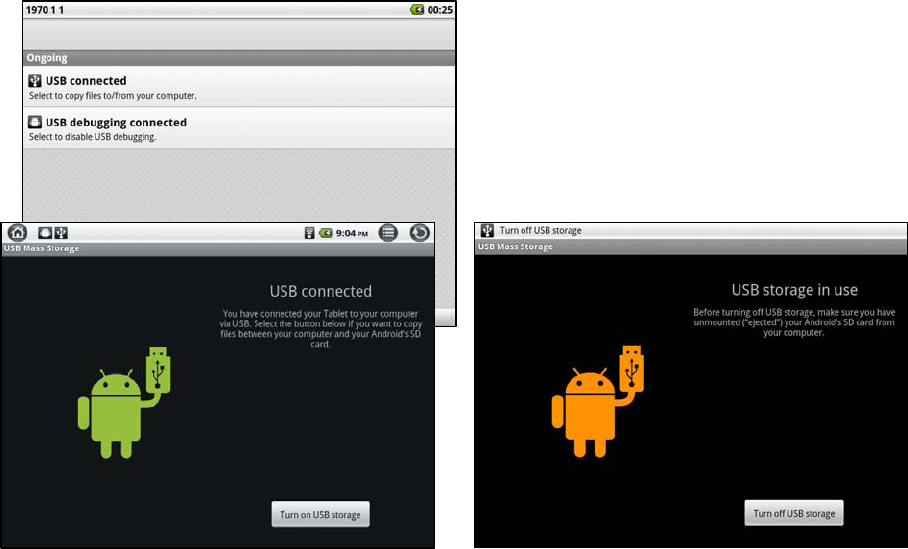
- USB Connections 20
- Wi-Fi Settings 22
- Camera/ Camcorder 23
- Browsing 24
- Application Installer 25
- File Manager 26
- The Kobo App in I10 29
- Open Kobo 29
- SAM (SlideMe) 32
- Open SAM 32
- Music Player 35
- Song Screen 36
- Video Player 37
- Picture Browser 38
- Pictures 39
- Email Setup 40
- Email Setup (continued) 41
- Clock Settings 43
- Alarm & Time Settings 44
- Specications 45
- FCC Statement 47
Related products and manuals for Tablets Impression 10-50
 (2 pages)
(37 pages)
(1 pages)
(1 pages)
(22 pages)
(2 pages)
(37 pages)
(1 pages)
(1 pages)
(22 pages)
© 2020, manymanuals.com. All rights reserved. | 0.079 s |
 Manymanuals.com
 Manymanuals.de
 Manymanuals.fr
 Manymanuals.it
 Manymanuals.pl
 Manymanuals.cz
 Manymanuals.es
 Manymanuals-pt.com
Comments to this Manuals